Prerequisites
Before creating a service, ensure you have:- A Wavix account.
- Your API key.
How to create a 2FA service
Follow these steps to configure your 2FA service in the Wavix portal:1
Access 2FA Settings
- Go to Solutions → 2FA.
- Select Create new.
2
Configure Service Details
Service details
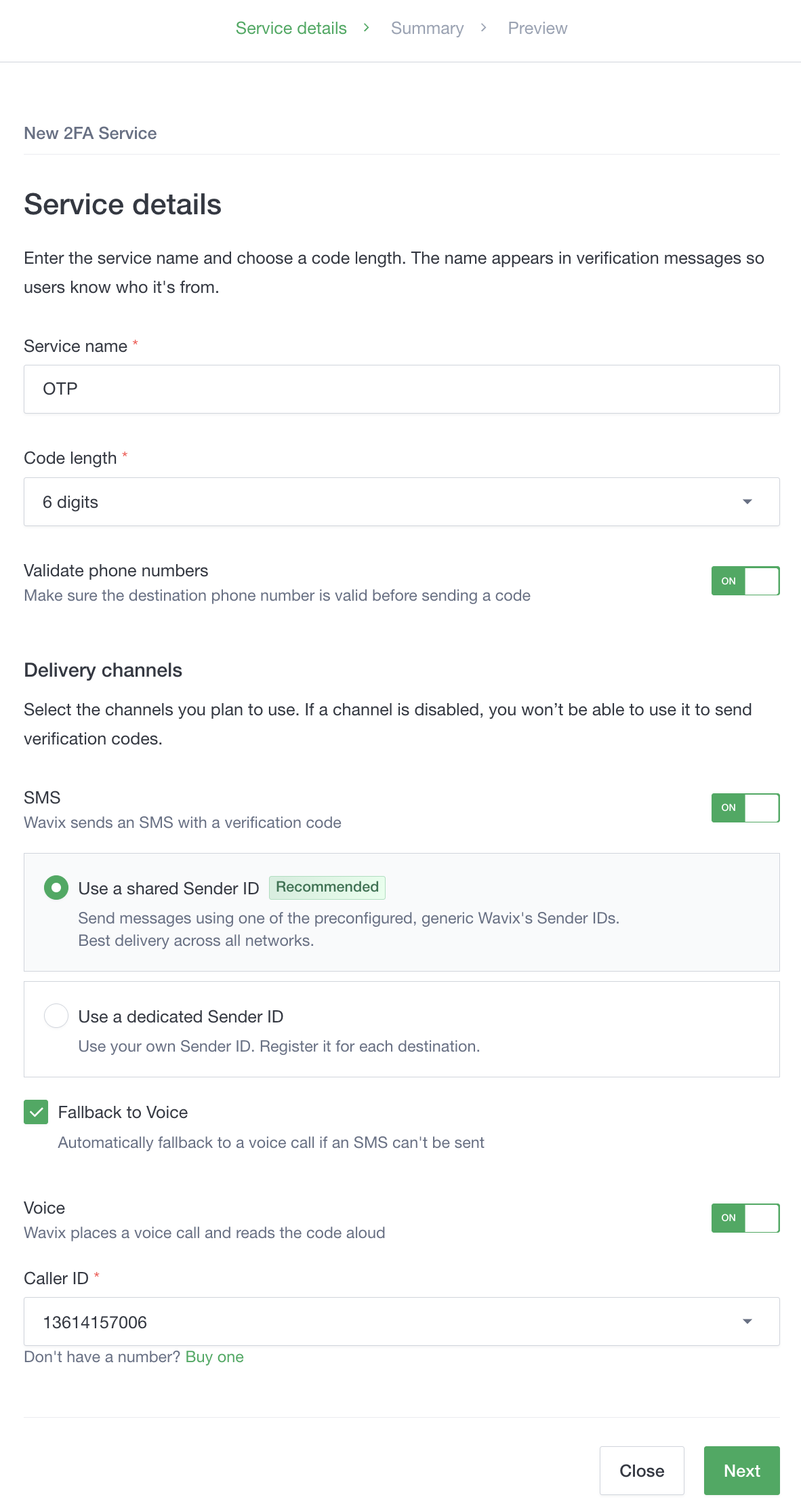
Enter a name and code length. The service name appears in messages so users recognize your brand. We recommend enabling Validate phone numbers to verify destination numbers before codes are sent.Delivery channels
Enable SMS, Voice, or both. For SMS, you can use a Shared Sender ID for instant setup or a Dedicated Sender ID (requires per-country registration). You can also enable Fallback to Voice for improved delivery.If using Voice, select a Caller ID from your account.Select Next.
Enter a name and code length. The service name appears in messages so users recognize your brand. We recommend enabling Validate phone numbers to verify destination numbers before codes are sent.Delivery channels
Enable SMS, Voice, or both. For SMS, you can use a Shared Sender ID for instant setup or a Dedicated Sender ID (requires per-country registration). You can also enable Fallback to Voice for improved delivery.If using Voice, select a Caller ID from your account.Select Next.
3
Review and Save
- Review settings on the Summary page.
- Select Save and close or Save and preview to test the service immediately.
To fallback to voice calls when SMS delivery fails, you must enable Channel failover and select Voice as a delivery channel.