

Overview
The Wavix Number validator helps you reach real customers by cleaning invalid and unreachable numbers from your data. It gives your sales and marketing teams an easy way to validate leads and improve outreach. This guide walks you through using the Wavix Number validator.Prerequisites
To get started, you’ll need:- An active Wavix account
- A list of phone numbers in E.164 format (e.g., +12345678900)
Number validator is available for Flex Pro customers only
Number validation types
Wavix uses the latest international numbering data to quickly confirm if phone numbers are real and reachable. You can choose from three types of validation: Format, Analysis, or Validation. What each request type returns
*Reachability and roaming statuses are available for mobile numbers in selected countries. Contact your account manager for details.
Validate one or more numbers
Follow the steps below to validate phone numbers.1
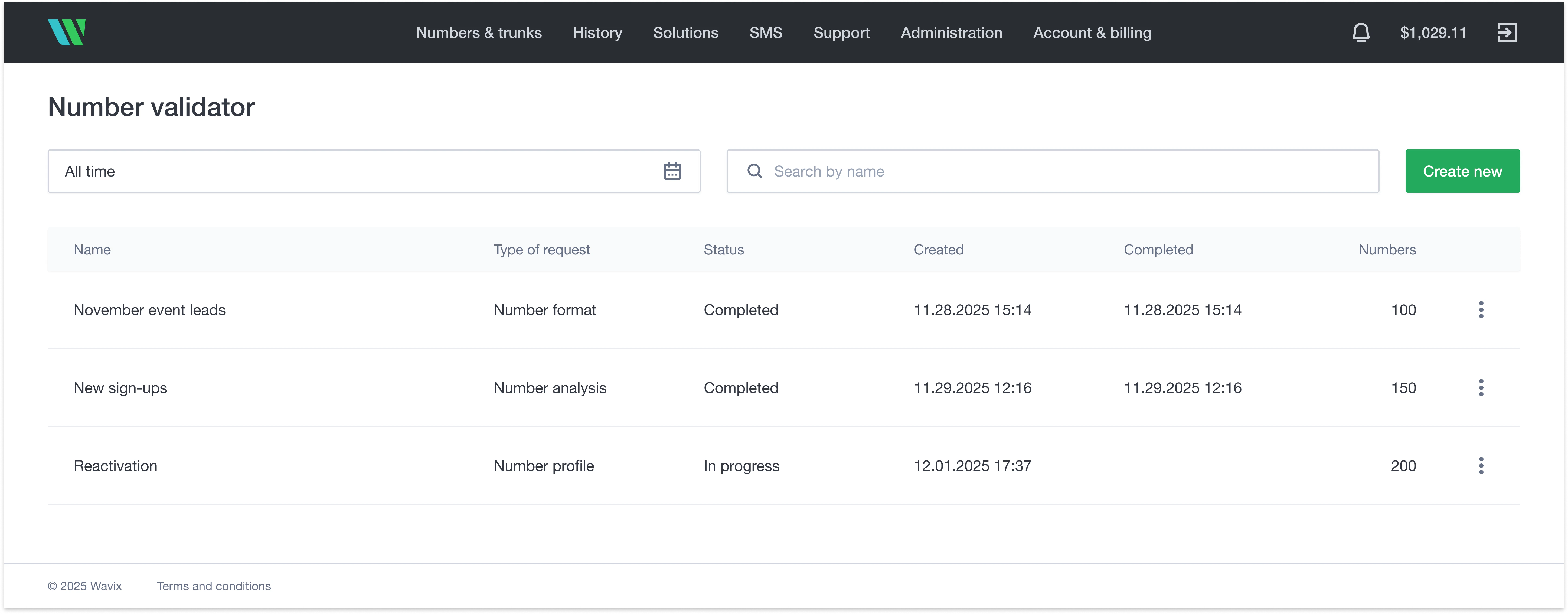
Navigate to the Wavix Number validator
2
Create a validation request
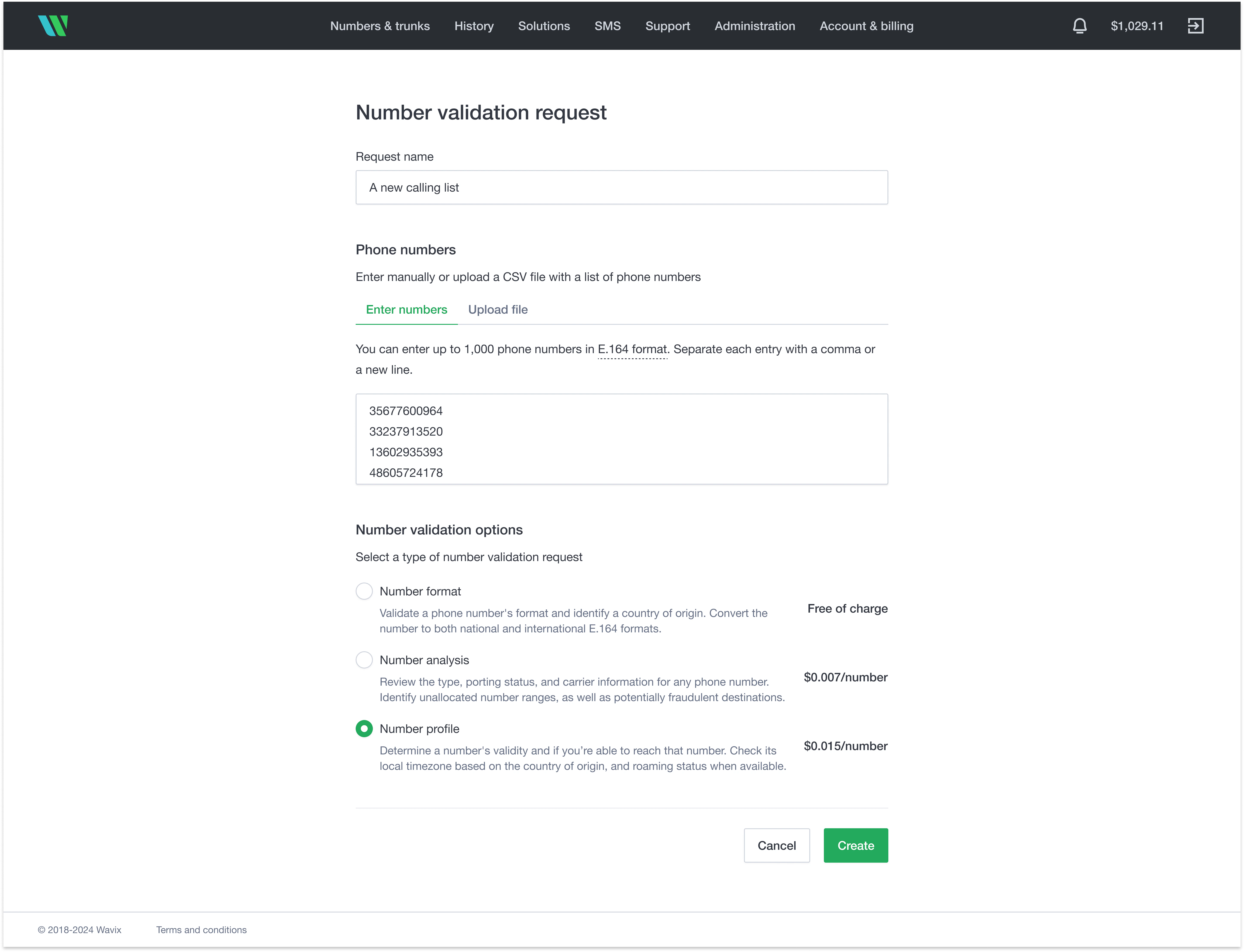
- (Optional) Enter a request name.
- Enter up to 1,000 numbers by pasting them (separated by commas or new lines), or upload a CSV file with up to 100,000 rows. The file must include a single column of E.164-formatted numbers. Don’t include a column header.
-
Select the request type.
- Choose Create
3
Review the results
When the request is complete, select the three-dot menu and choose Download report to get a CSV file with the results.
Here’s an example: